Stillwater

Every coding agent on your Mac, calm at a glance.

Stillwater lives in your menu bar. It shows what each agent is doing, what it costs your Mac, what it left running, and checks before heavy work starts.

Signed and notarized by AppleWorks entirely on your MacNo account

The real app, in demo mode
Why it's safe to leave running

It watches your agents. It doesn't touch them.

It never reads conversations

Agents are recognized from the process list and each tool's own status file: the folder, the state and the name. Never prompts, never transcripts.

Nothing is quit without you

Stillwater never ends a process by itself: every Quit is a button you press. A dev server you meant to leave on gets Keep Running, and Stillwater stops pointing it out.

Nothing leaves your Mac

No account, no analytics, no crash reporter. Everything is read from macOS. The only requests go to Ollama or LM Studio on this Mac, to name loaded models.

The film

A minute with Stillwater

Needs you

Know the moment an agent is waiting

When Claude Code or Codex stops for a question or a permission, a small mark appears in your menu bar within a second, and the dropdown leads with it.

Show takes you straight there: the exact tab in Ghostty and Terminal, the app everywhere else.
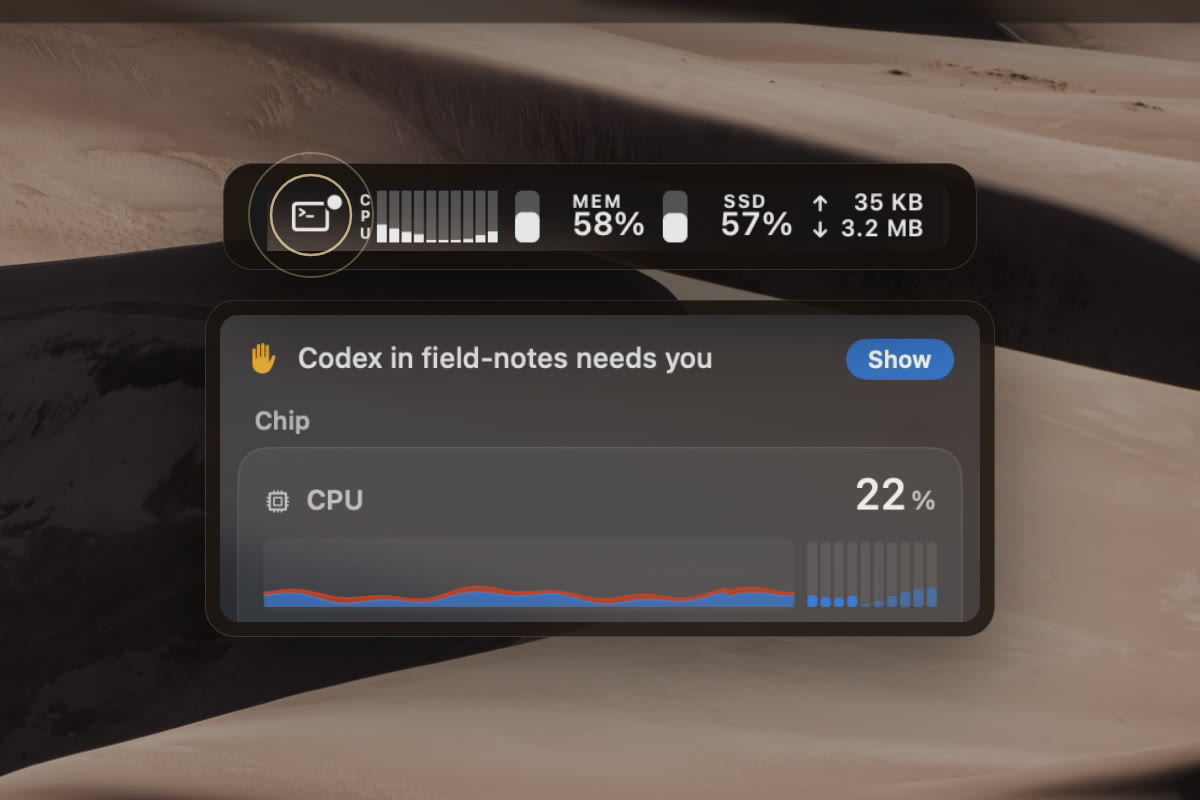
The needs-you mark in the menu bar, and the dropdown leading with Codex in field-notes needs you, with Show
Every session

Every agent, one row

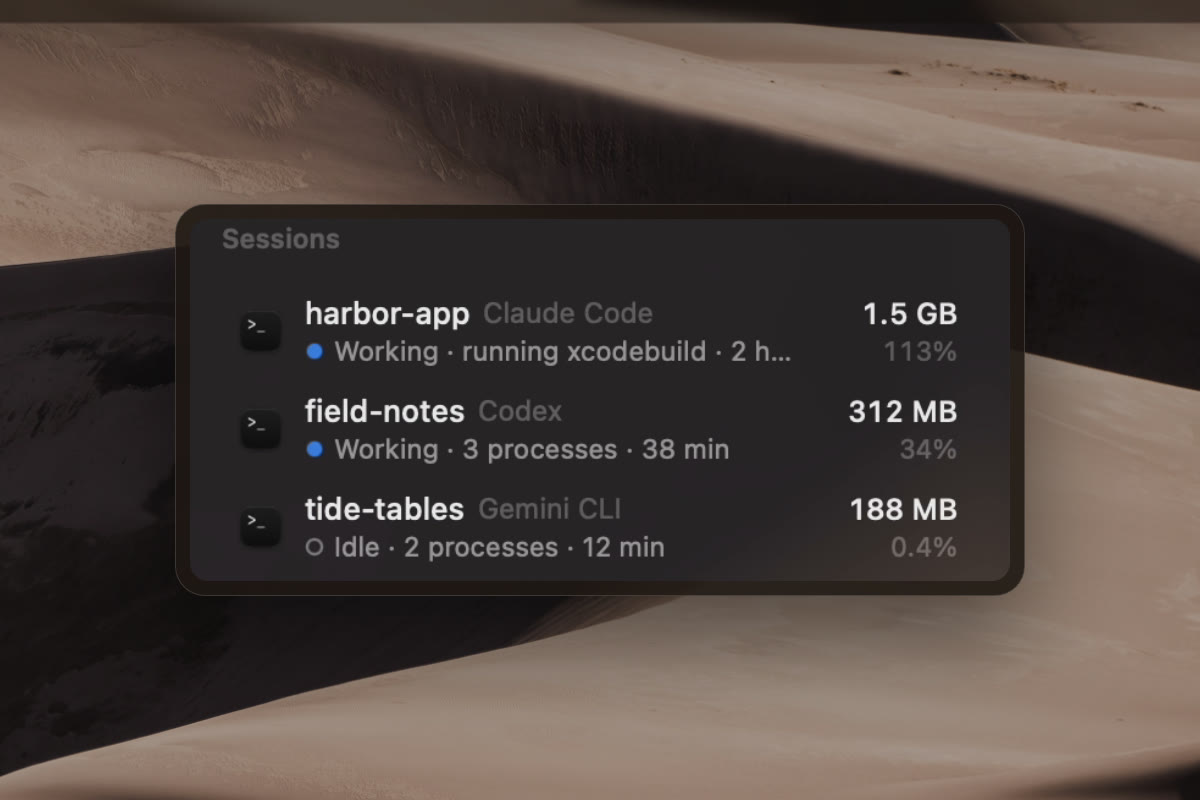
Claude Code, Codex, Gemini CLI, opencode, Cursor Agent, Copilot CLI, Aider and more. Each row has the project, whether it's working, waiting for you or idle, and the memory and CPU of everything it started: shells, MCP servers, browsers, builds.

Three sessions: harbor-app with Claude Code, working; field-notes with Codex, waiting for you; tide-tables with Gemini CLI, idle
Left running

What was left behind, and who started it

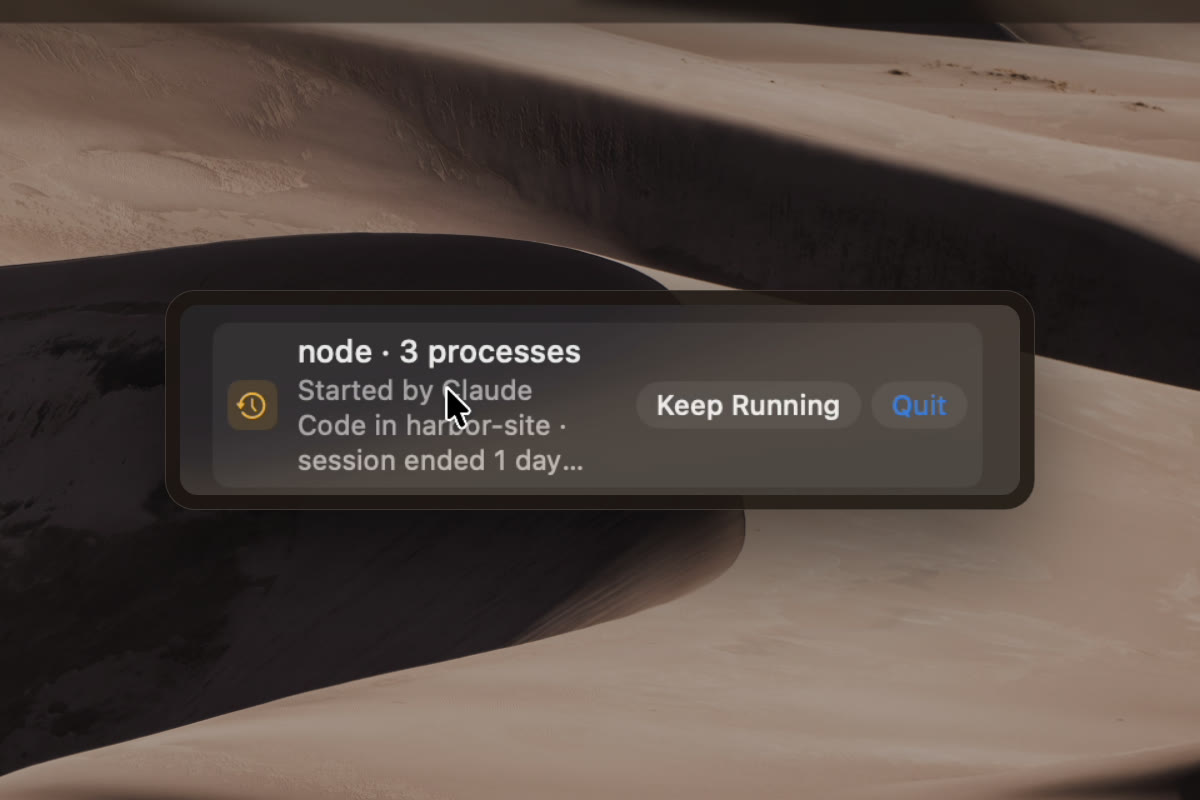
Processes that outlive their session, MCP servers whose app is gone, automated browsers nobody is driving. Each says how Stillwater knows where it came from, and what it still holds.

Keep Running for what you meant to leave on. Quit for the rest.

node, 3 processes, started by Claude Code in harbor-site, session ended 1 day ago, 1.3 GB
Before heavy work

Your agents check first

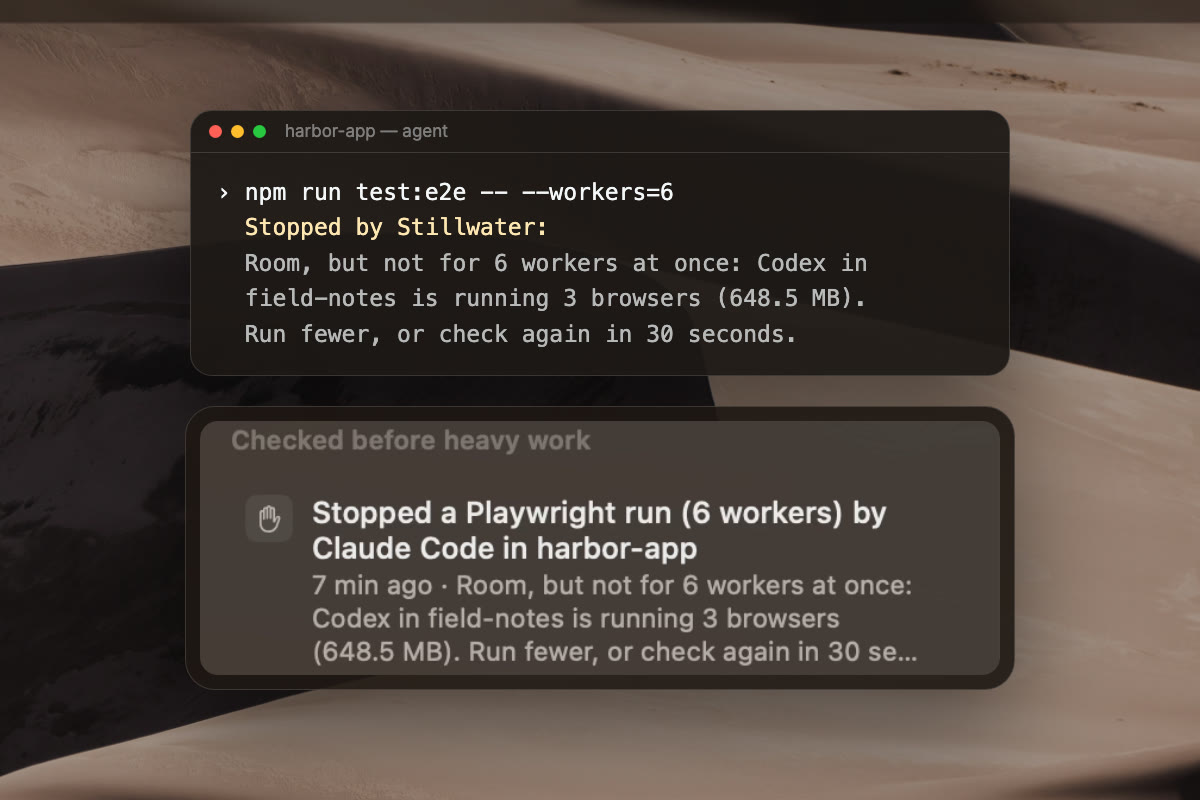
Turn on one setting, and Claude Code and Codex check the Mac right before they start a Playwright, Cypress, WebdriverIO, TestCafe or Vitest browser run, or load a model with Ollama, llama.cpp or MLX.

Only when the Mac should wait does Stillwater stop that one command and tell the agent why. You see it too. Every other command passes untouched.

Connect your agent →

An agent's 6-worker test run stopped by Stillwater because Codex in field-notes is running 3 browsers, and the stop listed in the Agents detail
Your Mac

A calm system monitor, too

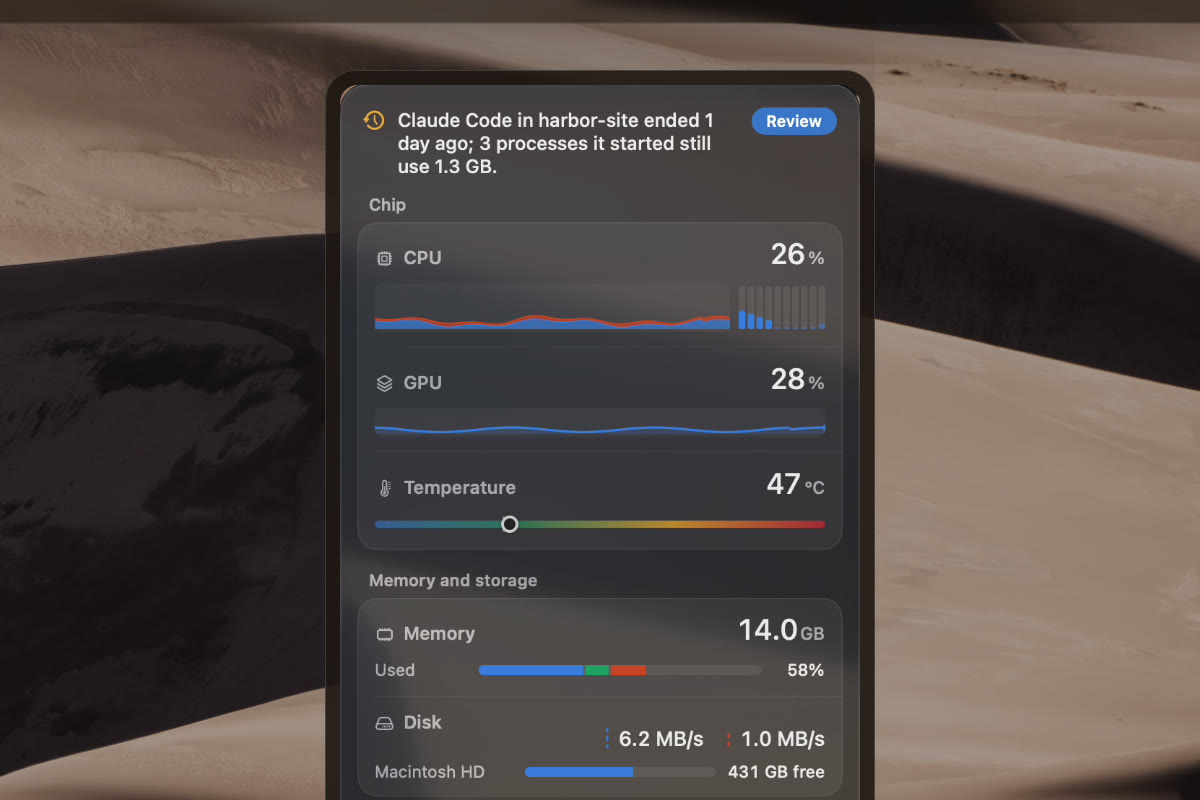
CPU, GPU, temperature, memory, storage, network and power, each with a live graph and history up to 30 days, and a verdict in plain words that names the cause.

A reading that couldn't be taken shows as a gap with its age, never as a flat zero.

The Stillwater dropdown: CPU, GPU, temperature, memory and disk, each with a live graph
What it watches

The AI side of your Mac, in one place

Agent sessionsEvery session's project, state and true cost, including everything it started.
Local modelsWhat Ollama, llama.cpp, MLX and LM Studio hold in memory, with Unload or Stop.
AI on your diskDownloaded models, the Hugging Face cache, agents' data and test browsers, largest first.
Your MacPer-core CPU, memory, disk, network and power, right in the menu bar.
Install

Ready in a minute

Download Stillwater.dmg5 MB, signed and notarized by Apple.
Drag it into ApplicationsThen open it from there.
Pick a styleIt lives in your menu bar, with no Dock icon. Nothing else to set up.

Requires macOS 15 or later · Apple silicon and Intel · Free

Questions

Good to know

Does it send anything anywhere?

No. Stillwater makes no internet connections: no account, no analytics, no crash reporter. Everything it shows is read locally from macOS. To name loaded models it asks Ollama or LM Studio on this Mac (127.0.0.1), only while they run.

Does it read what my agents are doing?

It reads which processes belong to which session, and each tool's own status file: the folder, whether it's working or waiting, and the session's name. It never reads conversations, prompts or files.

Will it quit anything on its own?

No. Quit is always a button you press; quitting a whole agent session asks first. The check before heavy work can stop an agent's command once, with the reason, but it never ends a process; running the command again goes ahead.

Does it slow my Mac down?

Measured on an M4 Mac mini: about 0.8% of one core with just the menu bar, 2.7% with the dropdown open, and 0.4% in Low Power Mode. Agents are checked every 10 seconds in the background, about 3 ms each.

Is it free?

Yes. No account, no subscription, no Pro tier.

What do I need?

A Mac with macOS 15 or later, Apple silicon or Intel. It needs no password and no helper. The only thing macOS may ask is whether Stillwater can select a Terminal or Ghostty tab, the first time you use Show.

Who makes it?

Stillwater is made by Rocky Stone Labs and published by Shanghai Douli Sports Technology Co., Ltd., the name macOS shows when you open it. Screenshots and the film use Stillwater's demo mode: synthetic data, not a real Mac.

Let your agents work. Keep your Mac calm.

↓  Download for MacFree · macOS 15 or later